Termux uses the “Termux:GUI” plugin to call Android components and display a graphical interface.
Note: this article discusses the Python data binding provided by Termux GUI. If you want to run an X11 graphical interface, see Termux X11
You can write GUIs with Python or C data bindings. The author provides many methods, allowing you to build interfaces with short snippets of code.

1. Install Termux:GUI #
-
Download and install Termux:GUI from F-Droid.
-
Open Termux and install
python-binding
pip install termuxgui2. Example program #
- Install the
termux-gui-packagepackage in Termux
pkg install termux-gui-package- Enter the downloaded
scriptsdirectory. The files inside can be executed directly; for example, the following program opens a file browser:
termux-gui-files- Or you can write a python program yourself:
import termuxgui as tg
import sys
import time
with tg.Connection() as c:
    name = sys.argv
    a = tg.Activity(c,dialog=True)
    layout = tg.LinearLayout(a)
    if len(name) == 1:
        tv = tg.TextView(a, "Hello Anonymous")
    else:
        tv = tg.TextView(a, "Hello "+name[1])
time.sleep(5)- Run
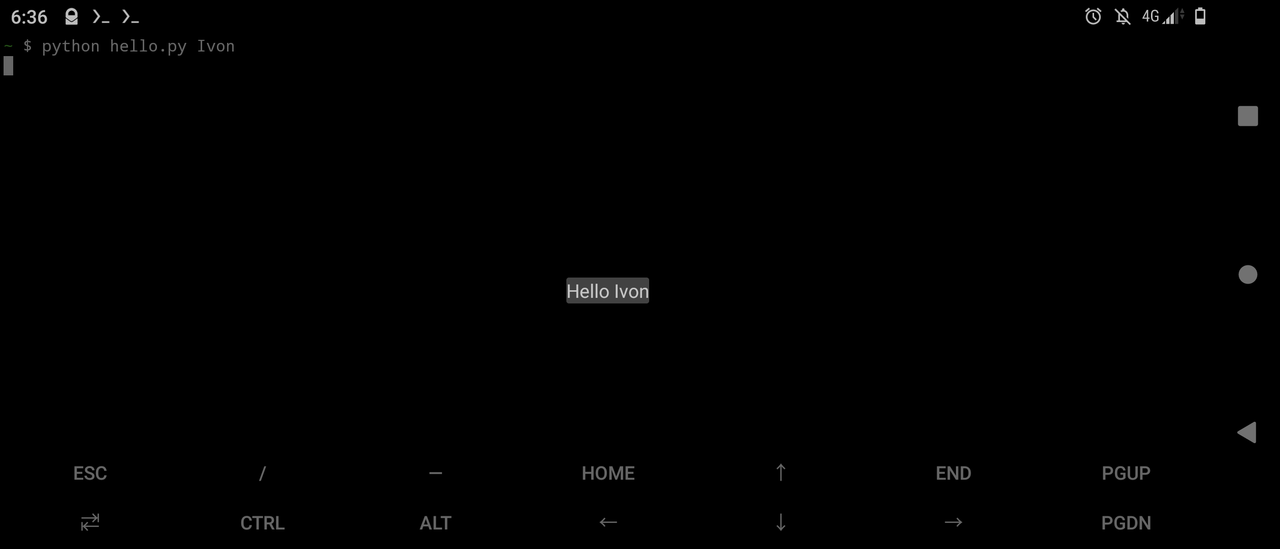
python hello.py Ivon; the result is shown below: