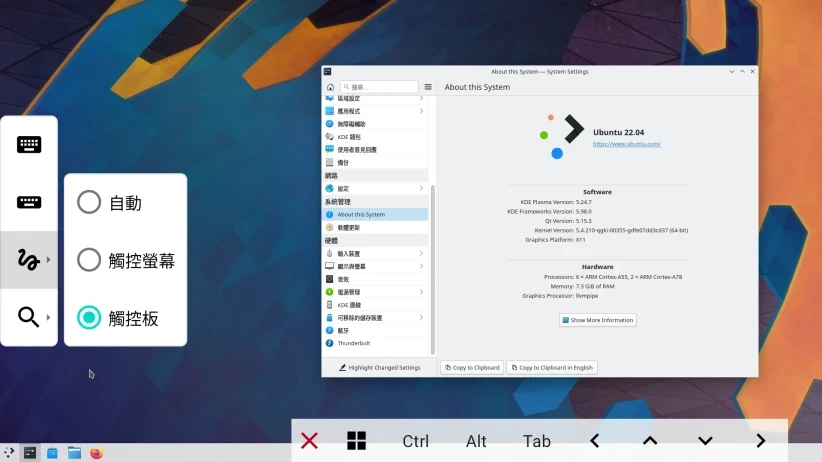
This article discusses how to use proot-distro to install Linux distributions.
Termux, as a terminal emulator, can install Linux distributions on a phone with the proot-distro tool, without root privileges.
For example, you can install Ubuntu, Arch Linux, Alpine Linux, Fedora, Debian, openSUSE, and so on.
Running Debian on Sony Xperia 10 V
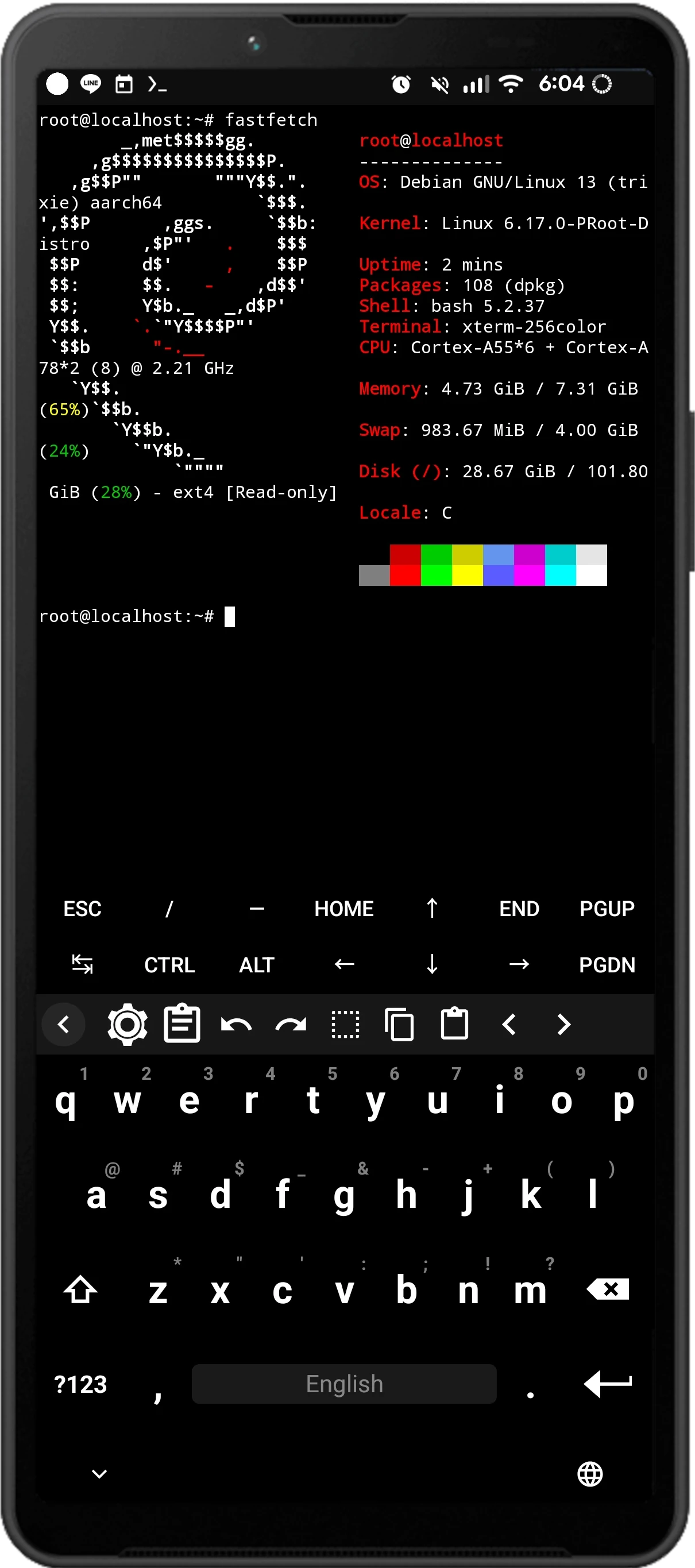
Linux distributions installed by proot-distro only have a text interface. The graphical interface has to be configured yourself.
If you find that troublesome, you can refer to the automated scripts provided at the end of the article.
1. What are proot & proot-distro? #
On a GNU/Linux computer system, we can use the chroot command to create an isolated Linux environment. This is the earliest container concept, which appeared before cgroups. After switching into it through the chroot command, it feels as if you have entered another system. For example, using debootstrap on Ubuntu to create a Debian environment, then running a Debian environment.
chroot is neither a virtual machine nor an emulator, because the inside of a chroot container shares the Linux kernel with the host and shares many system resources.
Related article: Termux chroot Ubuntu
But chroot always requires root privileges. The Termux terminal on Android includes the proot package as an alternative.
According to the PRoot official site, proot is a usersapce implementation of chroot. It uses ptrace to emulate system calls, including bind mount, binfmt_misc, and other features.
Because it uses ptrace, programs under proot inevitably run slower than under chroot, but the advantage is that you can run a Linux environment without root privileges.
Like chroot, proot only needs a Linux rootfs (root filesystem), then uses Termux to load a fake Linux kernel, making programs think they are running in a real Linux environment.
But note that a proot environment only counts as a container, not a complete Linux system!
Why use proot instead of running commands directly in Termux? Termux itself includes fewer packages. By installing a Linux system through proot, we can make good use of desktop Linux packages to achieve specific goals. For example, Termux has never included “Chromium”, while most Linux distributions provide it.
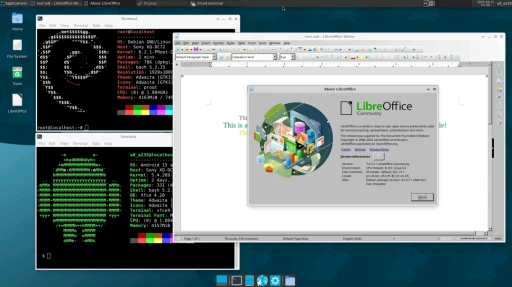
Running desktop software in a Proot environment is not much of a problem. GIMP, LibreOffice, and Firefox can all run normally. But the systemctl system administration command cannot be used, because Android does not have Systemd and it is difficult to port.
Termux includes the proot package, which can be used to set up a proot environment. Linux distributions installed with proot are what we call “Proot Distro”
Linux distributions installed with proot are at most “containers”, not complete systems like virtual machines.
But do not confuse “Proot Distro” with “proot-distro”; the latter is a tool name.
Because proot requires preparing the rootfs of the Linux system manually and the commands are complex, Termux provides a wrapper script called proot-distro. This script automatically downloads Linux distros compliant with the OCI Image standard from Docker Hub and handles proot-related environment issues, making it much easier to use.
Note: In versions of proot-distro prior to V5, users needed to download the rootfs maintained by Termux to run the Linux environment. Versions V5 and later integrate the functionality of udocker, allowing direct use of OCI Image standard compliant image files as the rootfs.
2. How to use proot-distro commands #
- Open Termux and install the proot-distro package
pkg install proot-distro- Use the following command to see which distributions are available online
proot-distro install-
Currently available distributions include Alpine Linux, Arch Linux, Debian, Fedora, openSUSE, Ubuntu, and the isolated Termux environment
termux-docker. More Linux distributions can be found on Docker Hub. -
Suppose you want to install Debian, run the following command to install the latest Debian Stable. Some distributions can automatically detect the OCI Registry without requiring the full name. However, if it displays “not found,” you will need to type the full name.
proot-distro install debian- After downloading, log in to the system:
proot-distro login debian-
After logging in, you will be the root account. Enter
apt update, then you can start installing packages. After use, enterexitto leave the system. -
If you want to continue configuring Proot-distro’s graphical environment and audio server, and localize it into Chinese, refer to: Termux Proot Debian for the remaining setup.
-
If you need to run multiple instances of the same Linux distribution, use
--namefollowed by different names, for example:
proot-distro install debian --name debian-1
proot-distro install debian --name debian-2- Command to remove a proot system:
proot-distro remove debian- Delete downloaded rootfs cache:
proot-distro clear-cache3. proot-distro command arguments #
Refer to the Github documentation. You can use the following arguments after the proot-distro login debian command:
--: execute a command after login. For example, the content after -- below logs into proot and executes sshd, and is not an argument for proot-distro.
proot-distro login debian -- /usr/bin/sshd--user: the user to log in as
--redirect-ports: redirect low-numbered ports. Because of proot, programs such as SSH daemon that use low-numbered port 22 will have problems. After using this option, SSH’s port is redirected to 2022 (that is, default port + 2000).
--isolated: do not mount /sdcard or /data/data/com.termux inside proot.
By default, proot-distro bind mounts the phone’s internal storage to the /sdcard directory of the proot system. In other words, running rm -rf inside the proot Linux system can also delete files on the phone.
In addition, Termux also mounts its own PATH inside proot. For example, when you execute a Python command, you may end up running Termux’s version. Using this option ensures that Python commands execute Python inside proot Linux.
--termux-home: mount Termux’s home directory to the home directory inside proot Linux. Therefore, the user’s home directory inside proot-distro becomes shared with the Termux home directory, and files generated by programs will end up outside proot-distro.
--shared-tmp: mount Termux’s tmp directory to tmp inside proot Linux.
--bind path:path: an extra path to mount, in the format <external path>:<path inside Proot Linux>
--no-link2symlink: disable the PRoot link2symlink extension module, turning off proot’s hard-link emulation. This can only be used when SELinux is permissive or disabled.
--no-sysvipc: disable PRoot’s System V IPC emulation. Use only when encountering crashes.
--no-kill-on-exit: do not kill all processes when logging out.
4. How to back up proot-distro #
Termux’s backup command does not back up proot-distro; it needs to be backed up separately.
- Use this command to back up the proot system as an archive to the phone’s internal storage. For example, backing up
debianfiles:
proot-distro backup --output storage/shared/debianbackup.tar.gz debian- Use this command to restore the proot system:
proot-distro restore debianbackup.tar.gzAppendix: Automatically install Proot Distro with scripts #
Github has many lazy scripts that help you handle Linux + graphical interface installation. Usually, copying and pasting is enough.
However, some of them do not use proot-distro, but install directly with the proot command. Therefore, that distribution may not be removable with the proot-distro discussed in this article.