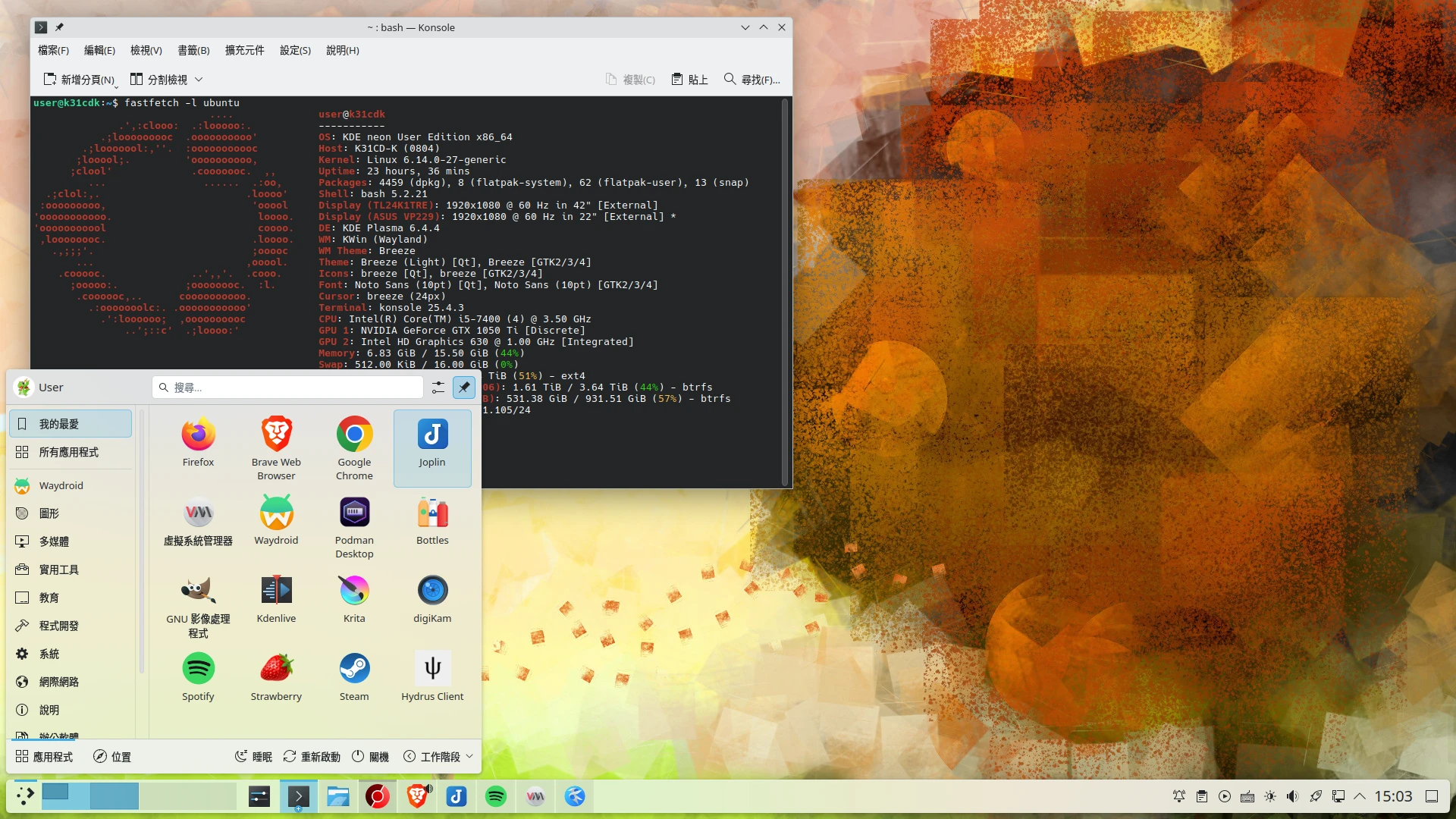
No more distro-hopping ~ yeah ~ Ubuntu has lasted more than a year without reinstalling. I think it is because I enabled LVM and combined two hard drives, so I no longer have storage anxiety.
And my attitude toward Arch Linux and Fedora is: I am numb. These systems really cannot be used as main systems. Just installing them on another laptop I use less often, updating once a week, and still having something break is enough to make me drunk. Unless you have no desires and no demands, and are satisfied with the default GNOME or XFCE desktop, do not expect to use a rolling-release distribution for a long time with peace of mind.
1. I Need KDE, but I Also Need Stability #
An unsolvable answer.
After using KDE, there really is no going back. Programs in the KDE ecosystem are truly useful for doing complex work. Although I have wanted to use GNOME many times, its design… sorry, I am not an artist. It really is not suitable for use on a desktop computer. It is enough to use it occasionally on a laptop that I turn on less often.
And I hope KDE can be a system that keeps bringing “surprises.” How should I put it? It feels like Pixel phone users occasionally receiving surprise packages from Pixel Drop. Every update always gives users a brand-new experience, not like GNOME merely moving elements around a little. For example, in the recent KDE 6.4 update, the screenshot program Spectacle actually added the convenient function of automatically recognizing QR Codes in images, and Dolphin’s right-click menu added folder color tags! So it is not hard to understand why I would do the following.
The system I currently use is a hybrid of Ubuntu and KDE Neon (good kids, do not try this). Mm, I originally installed it with the Ubuntu 22.04 ISO for convenient LVM setup. It safely survived the major version upgrade to 24.04. Then, because I wanted the KDE desktop, I manually installed kubuntu-desktop and deleted the GNOME desktop. Later I felt the updates were too slow, since Kubuntu 24.04 was still on Plasma 5.27… I was too lazy to reinstall the system with the KDE Neon ISO. So I manually added the KDE Neon repository to APT in order to obtain the latest Plasma 6.
Reference: 加入套件庫,將Kubuntu轉換為KDE Neon,安裝最新版Plasma桌面套件
Thus it became a system where the desktop environment is rolling-updated, while the remaining packages are stable-updated.
In actual use, this is weirdly stable. Basic system components, such as KVM virtual machines, Docker, and Podman, remain on stable versions, while I can still taste the latest KDE desktop.
Originally I should have been able to do this on Debian too. There was a developer named Norbert Preining who specifically provided the latest KDE packages for Debian Stable, but he said a few years ago that he would stop doing it (see Future of “my” packages in Debian | There and back again), so I can only use Ubuntu. In fact, the threat of Snap is not that serious yet. Many programs still have deb files available; they have not been assimilated by Ubuntu that quickly.
In the future, the KDE development team is about to launch the KDE Linux distribution, codenamed Project Banana, solving the predicament where Ubuntu LTS packages are too old and KDE developers still have to patch old packages just to compile successfully. Then will KDE Neon be abandoned by that time? It is said to be an immutable distro. I am not progressive enough to accept that design yet, aaaah. We will wait and see.
Fine, fine. In reality, Ubuntu + KDE Neon repositories is a very unstable configuration. KDE Neon package updates are too frequent, and it is indeed more bug-prone than Kubuntu LTS. Add Wayland as a factor and it becomes even more unstable. For example, after moving files, clicking an icon to confirm can crash the taskbar (now it auto-restarts instead of returning to the SDDM interface), or Fcitx5 crashes while typing. The worst case is KWin crashing and taking all windows with it. Also, the detailed design of KDE 6 changes every few months, requiring readjustment.
Using it like this depends heavily on luck. Certain KDE versions may be very stable, but the next update may start crashing crazily again. So in the future I may consider switching back to a more stable desktop environment, or continue using the KDE X11 session, which does not break easily even under a rolling-update model.
2. About Wayland Stability #
GNOME has long been forcing people to use Wayland, and now KDE has finally caught up. I mean convincing people with stability, rather than deprecating X11 to force people to use it.
GNOME developers are preparing to completely abandon the X11 session in GNOME 50. The current GNOME 48 can already compile without depending on X.Org packages. Combined with the mostly stable Wayland session since GNOME 42, they indeed have the qualifications to do this. This is my takeaway from using Fedora on a secondary computer for several years. Although some old X11-era things still have no corresponding protocols available in Wayland (for example, the color management protocol was only recently merged, and QT6 Wayland theme rendering looks strange on GNOME Wayland), GNOME Wayland is already stable enough that people do not notice it is worse than X11.
And more and more things are moving toward Wayland, such as touch gestures and automatic screen rotation (tablet users probably feel this more), and animations are smoother too. If you switch back to X11, you instead get a backward experience. If developers still have to split their attention maintaining old features, the cost outweighs the benefit. Better to eliminate it.
Breaking good news: according to upstream Bug Tracker reports, Chromium 141 finally launches with Wayland by default. This means the performance of a whole bunch of Electron programs will also improve over the next few years.
As for KDE, there is still no clear timetable for deprecating the X11 session. Some estimate that it will not be removed until KDE Plasma 7, which means waiting another five years. This is only talking about the schedule for rolling-release distributions; fixed-release distributions will wait even longer.
After KDE Plasma 6, I use Wayland most of the time now, completely avoiding screen tearing. Many bugs I encountered in the past have gradually been fixed, such as blurry fonts and broken GTK themes. Now I can use Wayland for more than a month without switching back to X11. The number of bugs has already decreased to a tolerable level.
Of course, when I say Wayland is stable, I mean KDE 6 Wayland. Do not use old KDE 5 Wayland. And because KDE Neon packages are rolling-updated, if a certain version update causes Wayland problems, I switch back to the relatively stable X11 session.
Nate, one of KDE’s well-known contributors, wrote in his blog About Plasma’s X11 session that they will continue maintaining X11 for a while in the future, because many distributions still use KDE X11 as the default option, including the famous SteamOS.
To avoid weird graphics bugs, and because sometimes I need to squeeze the Nvidia GPU at full power to run AI, I currently operate the computer in a strange way where Intel handles the main display output + Nvidia handles the secondary monitor. I use Nvidia PRIME to run programs that need GPU computation.
3. Understanding and Recognizing the Importance of FreeDesktop Standards #
Over the past year, I tagged many articles as FreeDesktop Specifications because I want everyone to know the importance of standards. Therefore, when writing some Linux usage tips, I explain not only how to do something, but why it should be done this way.
Compared with the Linux Foundation’s FHS (Filesystem Hierarchy Standard), which specifies the purposes of paths under the Linux root directory, the standards from freedesktop.org focus more on graphical interface operations.
There are reasons for where Linux programs place configuration file paths, theme paths, autostart program paths, desktop shortcuts, and default program settings. They are not placed there for no reason. Each desktop environment is designed according to a series of XDG standards formulated by FreeDesktop, ensuring applications have standards to follow. This way, everyone will not merely do their own thing and ignore the possibility of cooperating with others.
Having standards to follow is even more important in the Wayland era. The existence of XDG Portal allows Flatpak applications to have unified ways to call functions, such as requesting screen access, taking screenshots, reading files, accessing USB devices, and so on.

Although I know Linux fragmentation is severe, and even with standards there is no way to force everyone to follow them, developers will make corresponding adjustments themselves if they want to consider more distribution user bases. After all, not everyone thinks like suckless.org engineers; people will eventually follow the trend.
4. Progress and Reflection on Containerization #
For the progress part, I have slowly migrated from Docker to Podman. Influenced by the concept of Pods, I have begun considering learning more advanced container management concepts in K8s, although my actual needs are not that large. I only want to run self-hosted hobby projects such as Immich photos. I just feel that Big Brother RedHat is more willing to invest resources in promoting Podman, so I think I should keep up too. It is just difficult; I have not yet found an alternative as easy to use as Portainer.
Oh, Canonical’s Snap is still awful, no explanation needed. Maybe I will install Ubuntu Core to play with when I have time. This system claims to be entirely composed of Snap, even the Linux kernel is a Snap, and it can be split into smaller modules than other immutable distros. But they do not seem interested in the desktop market. In that case, Vanilla OS, openSUSE MicroOS, and Fedora Atomic may be more popular targets for experimentation.
For the reflection part, in the past I insisted for a while that all programs should be containerized with Flatpak. I recommended even unofficial ports to everyone. If not that, then I used Distrobox’s Podman solution to run programs, attempting to eliminate the native package manager. Although I was not using an immutable distro, I completely imitated their practices, pursuing this extremely avant-garde approach.
But now I no longer insist on this. Although Flatpak’s desktop integration technology keeps improving, it still depends on whether program developers are willing to support it from the beginning.
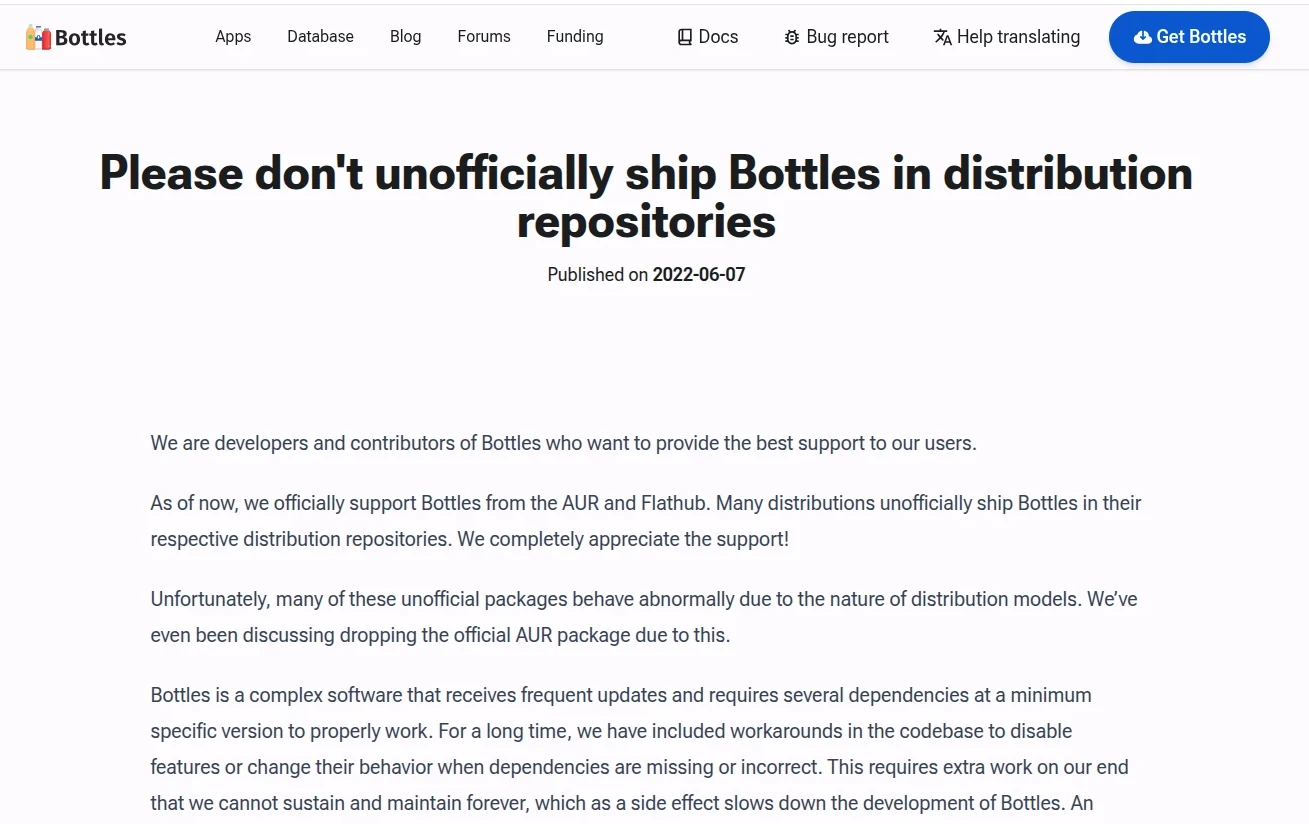
I think unless developers are people passionate about promoting Flatpak, such as Wine Bottles, one should not demand that Flatpak replace native packages.
What is the problem with Flatpak? For example, Steam is still half-crippled right now. Adding shortcuts to the desktop still requires some quirks, so I do not encourage users to install the Flatpak version of Steam anymore.
Another example is Android Studio. Although the program’s behavior of throwing garbage everywhere in the home directory is annoying, using Flatpak only adds trouble for development. Visual Studio Code is the same. When doing development work, making it hard to access system libs is obviously self-inflicted suffering.
These shenanigans brought by excessive insistence on progressive ideals should still be balanced against the actual needs of the people, choosing suitable installation methods. Therefore, deb files and install scripts still have their uses.
Simply put, whether to use Flatpak still depends on the situation.
But this still cannot solve one problem, right? What if Ubuntu package versions are too old? Too bad, make scrambled eggs. If you truly must have a new version of software, compile and install it from source code, carefully observe the installation file paths, and record them. I personally throw all non-package-manager programs into one ~/Applications directory for unified tracking. That makes later management convenient.
Anyway, after learning Linux to a certain stage, experiencing countless rm -rf incidents, accidentally deleting important system components, blowing up package dependencies, and causing system reinstalls, you will learn how to care for your own system.