How to use the Termux App?
Android is a Linux-based system, but it lacks a terminal. Termux, an open-source terminal emulator, fills this gap, allowing it to be used without root access and even has its own package manager.

Termux is a terminal emulator app that ports many commonly used Linux command-line programs to Android. Why type commands on your phone? Sometimes your phone doesn’t have a corresponding app for doing some tasks, but you can still achieve your goals using command-line software.
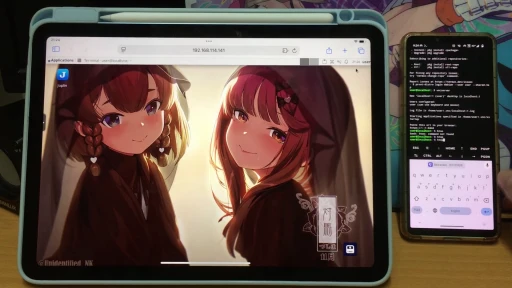
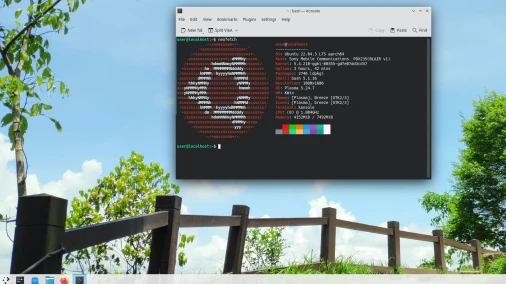
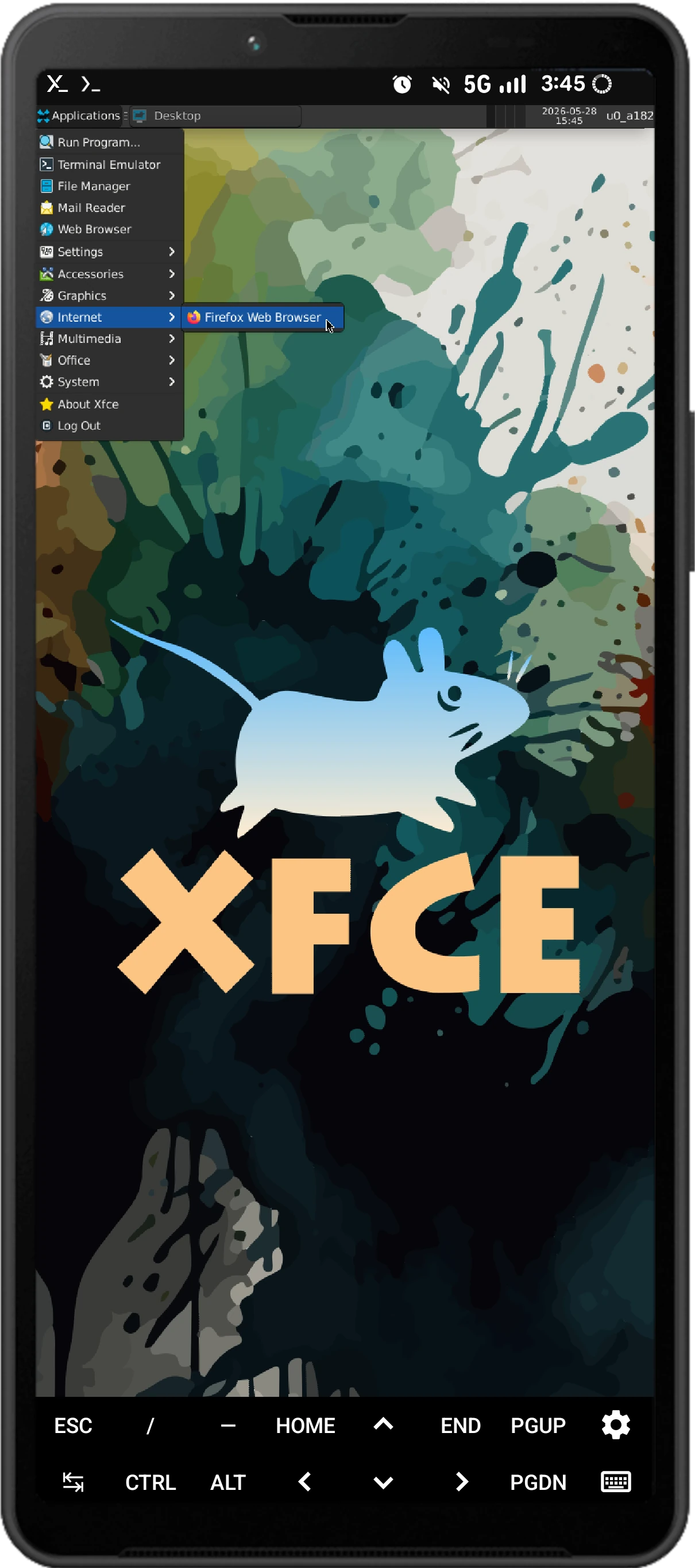
For example, Termux can be used for SSH connections, video transcoding, server setup, programming learning, and more. Furthermore, Termux provides a tool called proot-distro, which can create Linux container environments and run more Linux desktop programs.
Example usage: Running PC version of Firefox and XFCE Desktop on Android phone using Termux app.
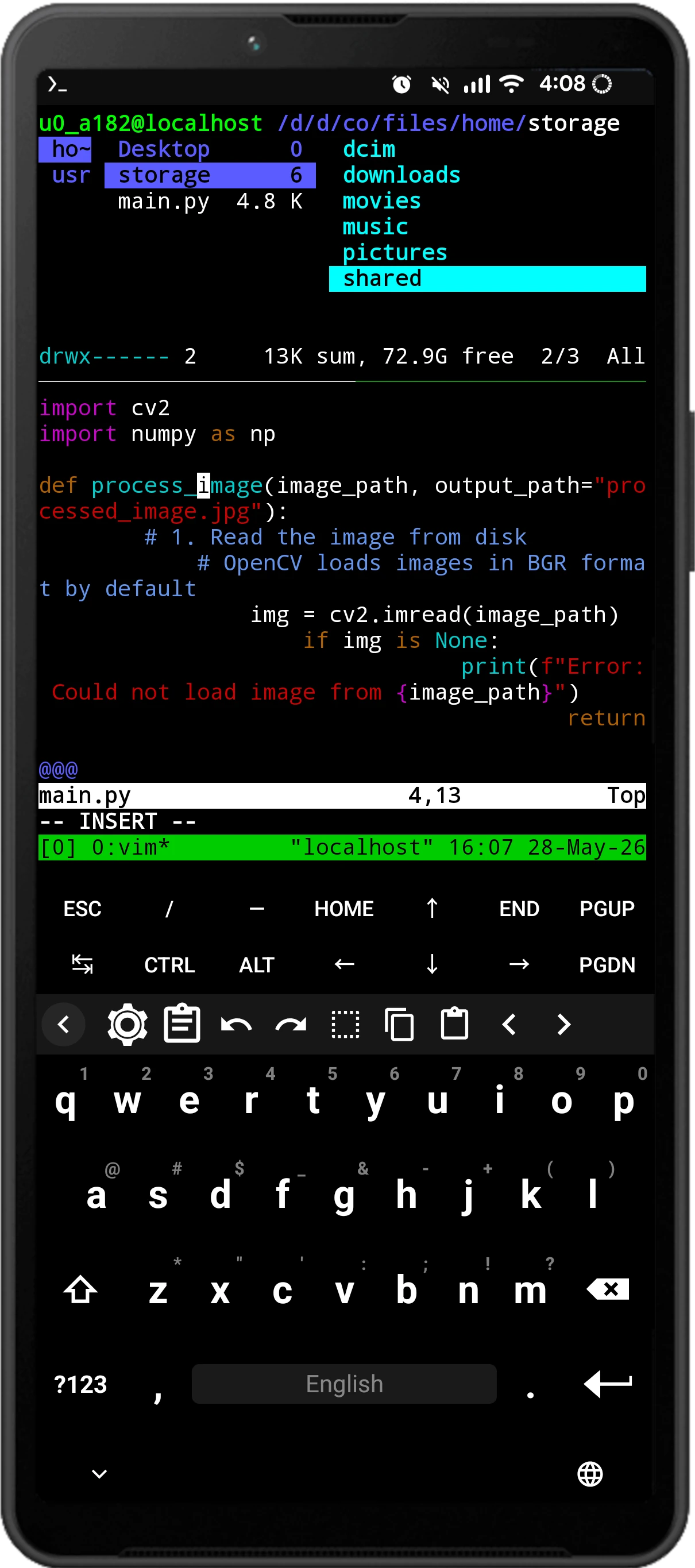
Example usage: Coding Python with Vim on Android phone using Termux app.
Please note:
- Termux CANNOT ROOT YOUR PHONE! If you want to modify system settings, you must root your phone first (e.g. unlocking bootloader and flashing Magisk).
- Double-check before installing suspicious packages or running random scripts on the Internet! It may be harmful to your device.
- Termux is not for hacking.
In this article I will tell you how to install and setupt Termux properly.
1. Download Termux APK #
Termux requires an Android device running Android 7 or later.
Do not install Termux from Google Play store. The maintainers of Termux stated that Termux on Google Play is no longer maintained. It is outdated and contains lots of bugs.
Please download Termux apk from F-Droid or Github. For most devices, choose the arm64-v8a variant.
2. Things to do after installing Termux #
2.1. Interface overview #
-
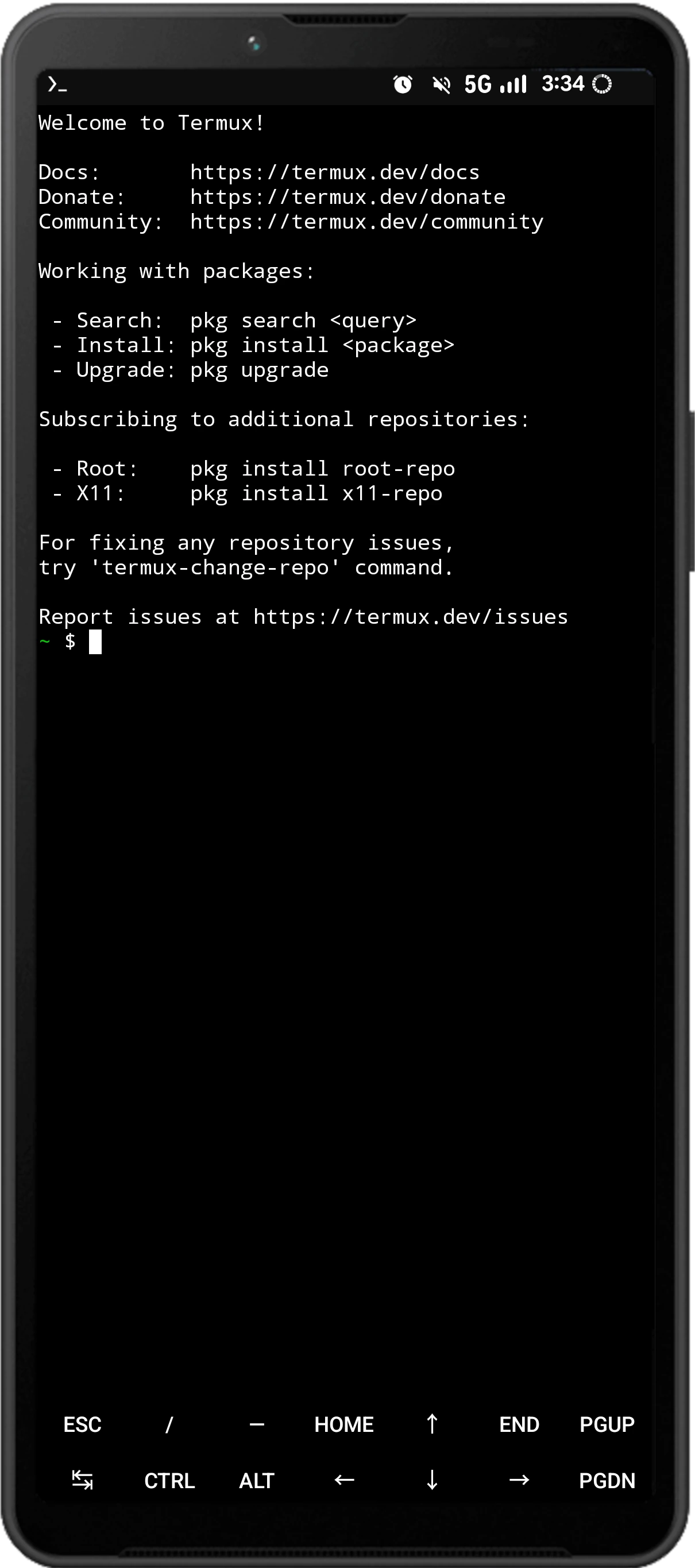
After opening Termux, you’ll see the terminal interface. Tap the input box, and your phone’s keyboard will automatically open. The Termux screen also displays keyboard shortcuts like Ctrl and Esc, which you’ll frequently use when operating the terminal.
-
Pull down from the notification bar and press
Exitto immediately terminate Termux;Acquire Wakelockkeeps it running in the background.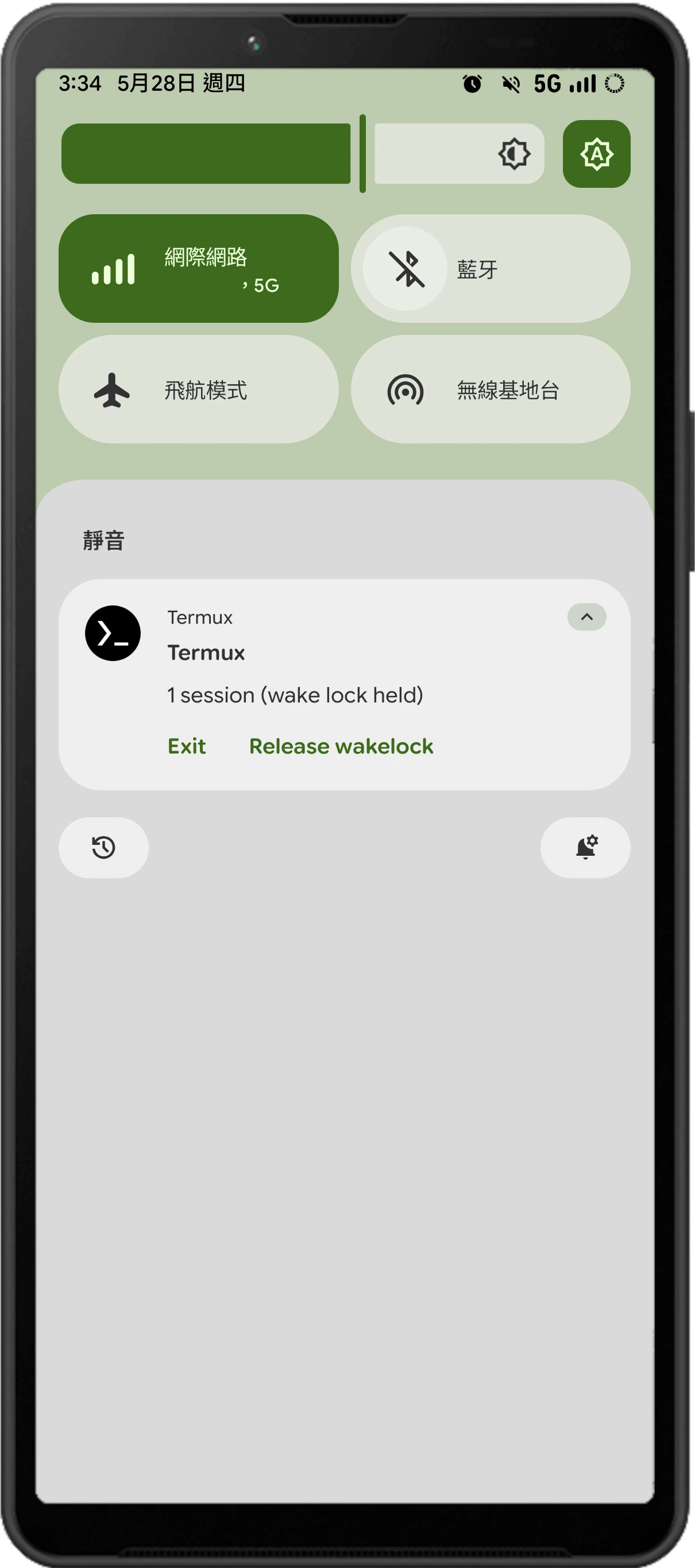
-
Swipe in from the left side of the screen and press
New Sessionto open multiple Termux terminals (working sessions); pressKeyboardto wake up the phone’s keyboard.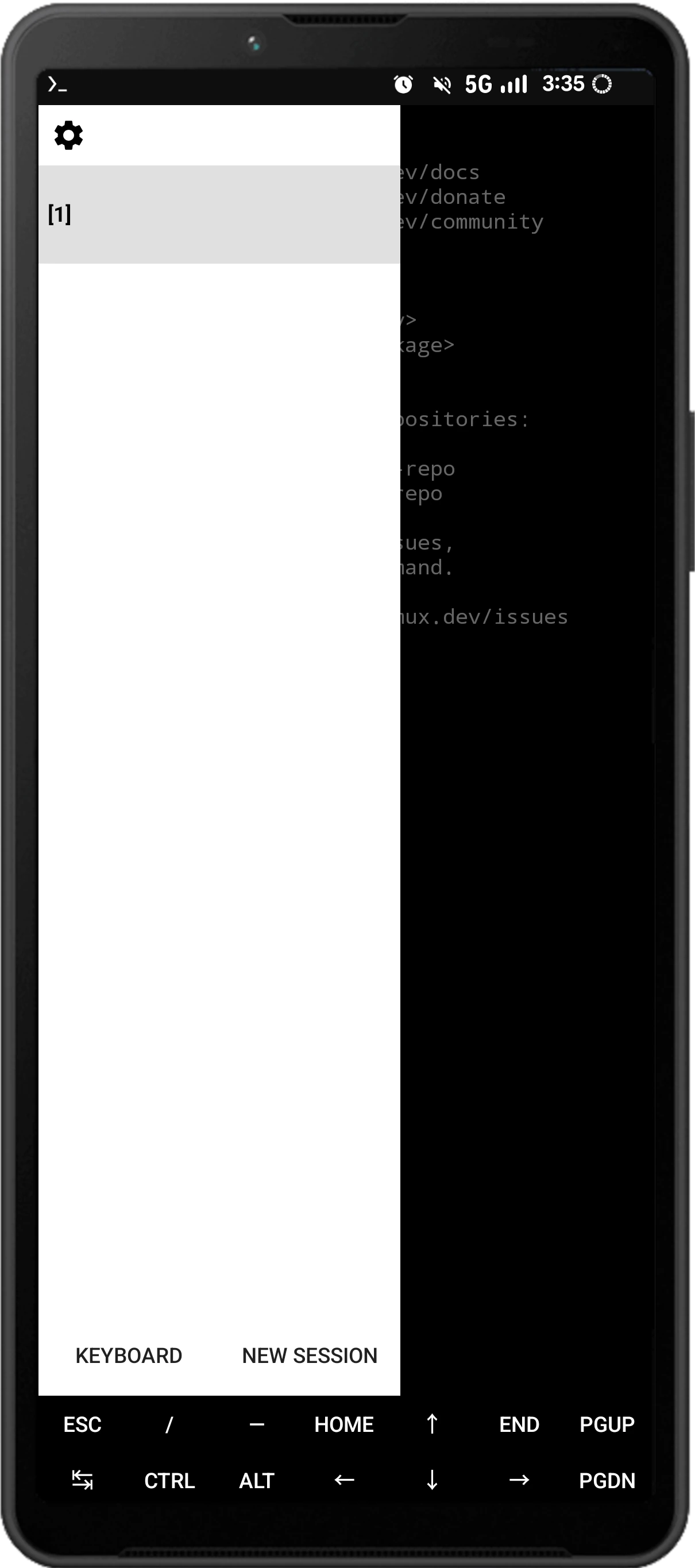
-
How to input Chinese in Termux: Swipe the bottom toolbar to the left to reveal the input box.
-
If you find the Termux text too small, use two fingers to zoom in and out of the terminal screen.
2.2. Update packages #
Linux systems typically install software from software repositories; those familiar with Ubuntu should understand this.
Termux packages are primarily in .deb format. The pkg command is essentially an APT wrapper, but you cannot directly install .deb packages from Ubuntu/Debian systems. Termux repositories contain modified versions specifically for mobile devices.
- After installation, software packages need to be updated to function correctly. Use this command to update all Termux packages (long press in a blank area of Termux to paste the copied command):
pkg update-
Termux will automatically download, update, and install packages. During the update, it may ask if you want to upgrade packages; always type
yand press Enter.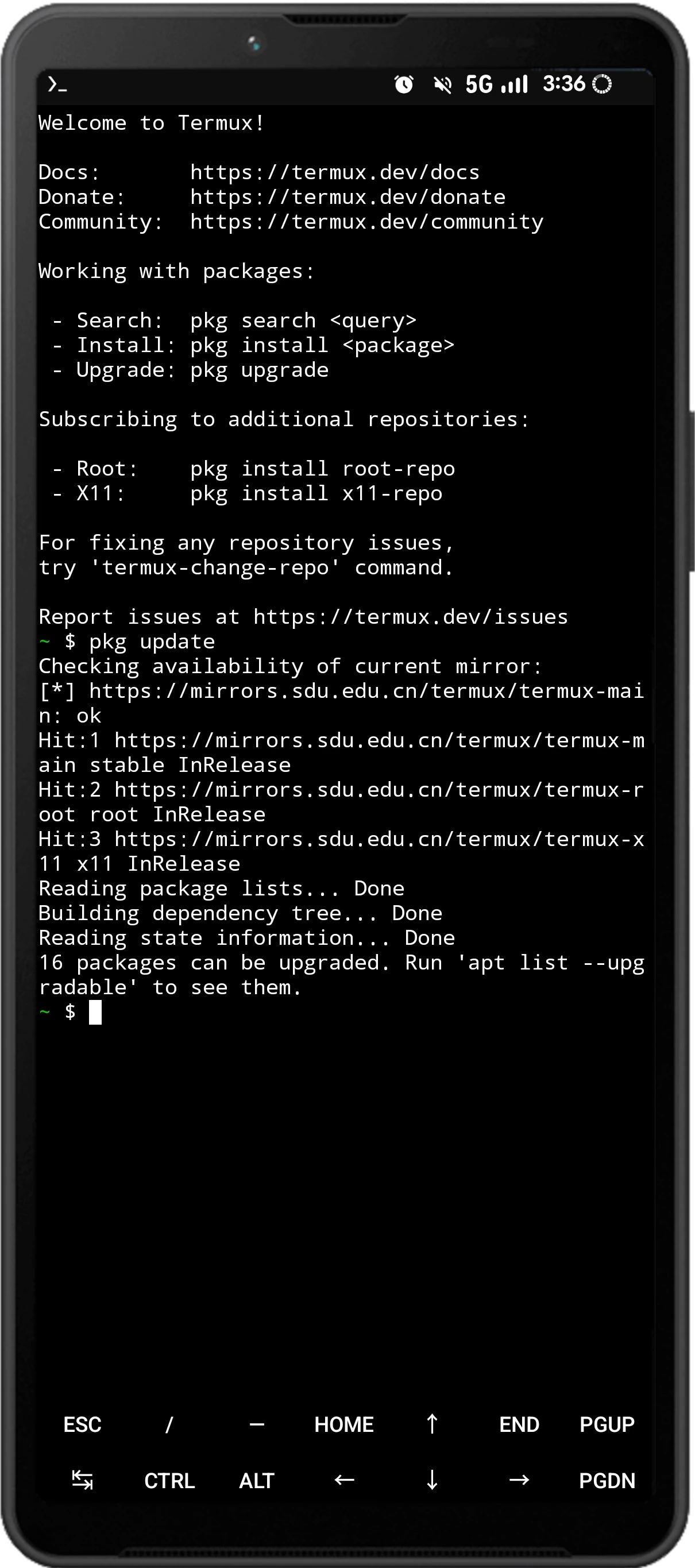
-
Commonly used commands for installing software are as follows:
# Install a package
pkg install <package name>

# Uninstall a package
pkg uninstall <package name>

# Search for packages
pkg search <package name>

# Update all packages
pkg update && pkg upgrade

# Automatically remove unused packages
pkg autoclean- The Termux
pkgcommand is actually a wrapper of theaptcommand, so you can also useapt updateto update packages. However, you cannot directly use Ubuntu’s package repositories, nor can you just usedpkgto install any .deb file.
2.3. Switch mirrors #
Termux has mirror sites in various countries to speed up package downloads. This step is optional; if not set, Termux will try all mirrors globally before downloading each package.
- Enter the following command:
termux-change-repo-
Use the up and down arrow keys displayed in the Termux terminal to switch to
Single mirror, then press Enter on your phone’s keypad.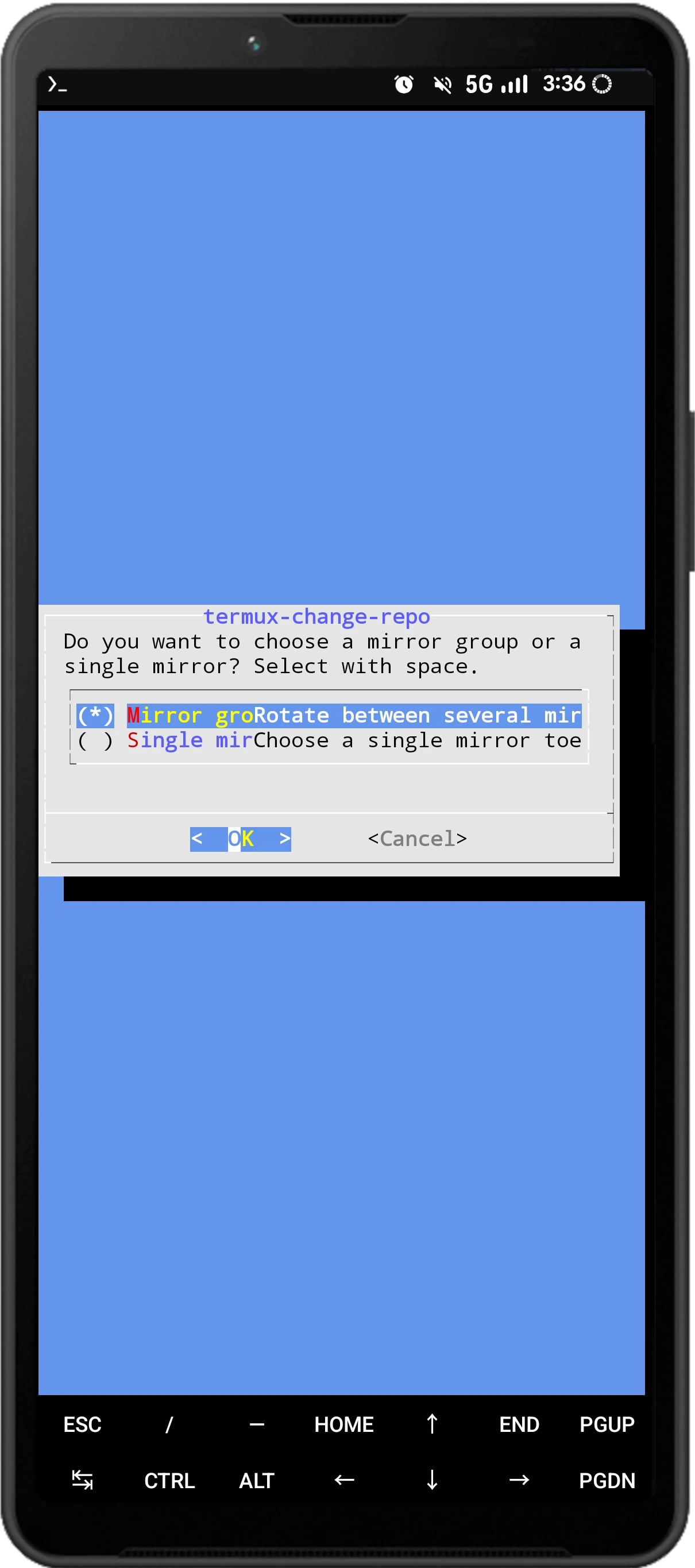
-
Select
Mirrors in Asiaand press Enter. Users in China can selectMirrors in China.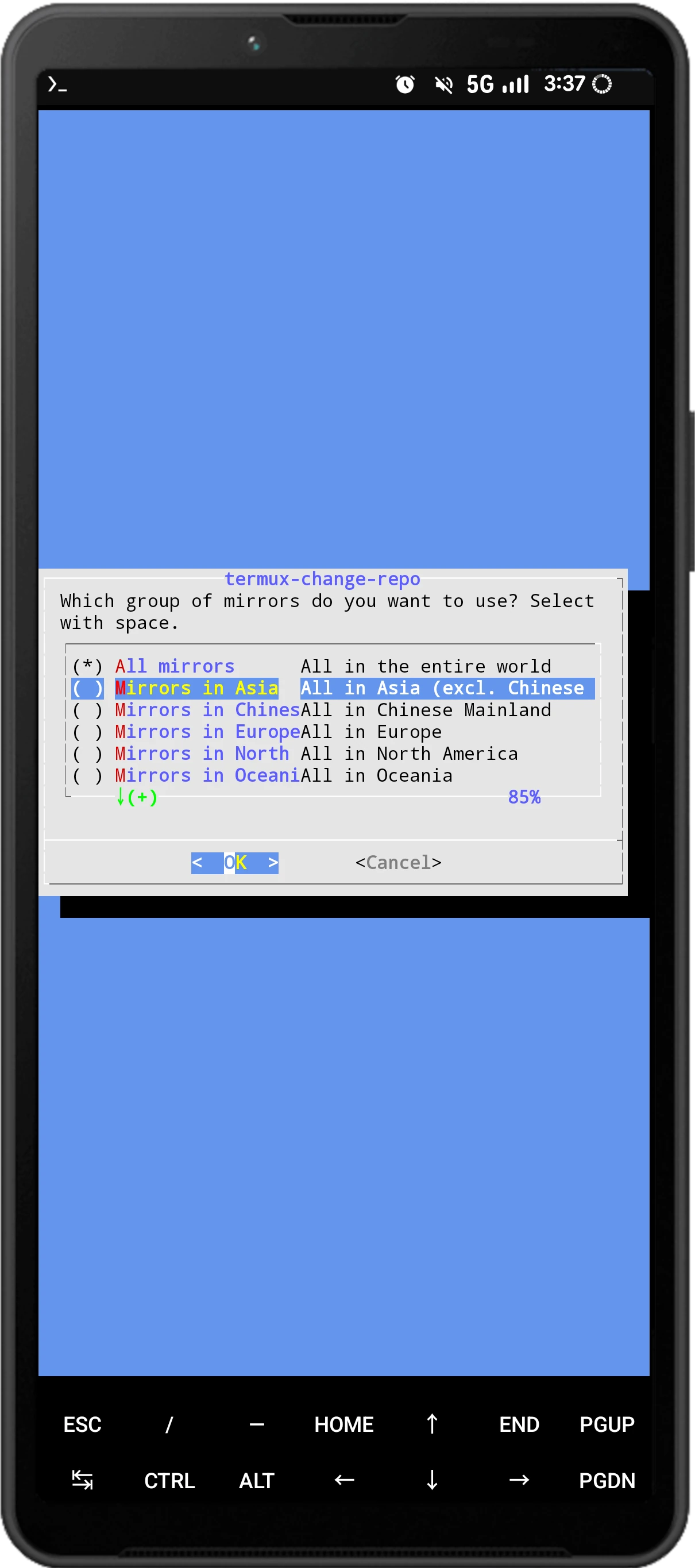
-
Termux will refresh the package list. Enter
yto continue using it.
2.4. Fix signal 9 error #
Preventing Termux from being killed by the system.
If your device is running Android 12 or later and you plan to use it to run large programs such as Linux desktop applications, please be sure to disable Phantom Process Killing to prevent Termux from being killed by the system in the background.
3. What can you do with Termux #
There are many things you could do in Termux. Belows are some examples. Texts with gray background are packages which could be installed in Termux.
3.1. Programming #
Install command-line text editors vim or nano for writing codes in Termux. (Learn how to use VIM). It is also possible to install Visual Studio Code in Termux, you need to install Proot Debian in Termux
- Install
clangto compile C/C++ programs (GCC is not available currently) openjdk-17for running Java programs.python3for running Python programs.python-pipfor installing Python packages. Anaconda is also installable on Termux.nodejsfor running NodeJs programs.monofor .Net frameworks.
go-lang and rust are also available in Termux.
Install git for managing projects on Github or Gitlab.
3.2. Multimedia processing #
ffmpeg for editing and converting videos.
imagemagick for batch processing images.
Install yt-dlp with pip to download Youtube videos.
If you need more advanced image/video editing software, setting up Proot Debian then install Kdenlive, GIMP, Blender.
3.3. Gaming #
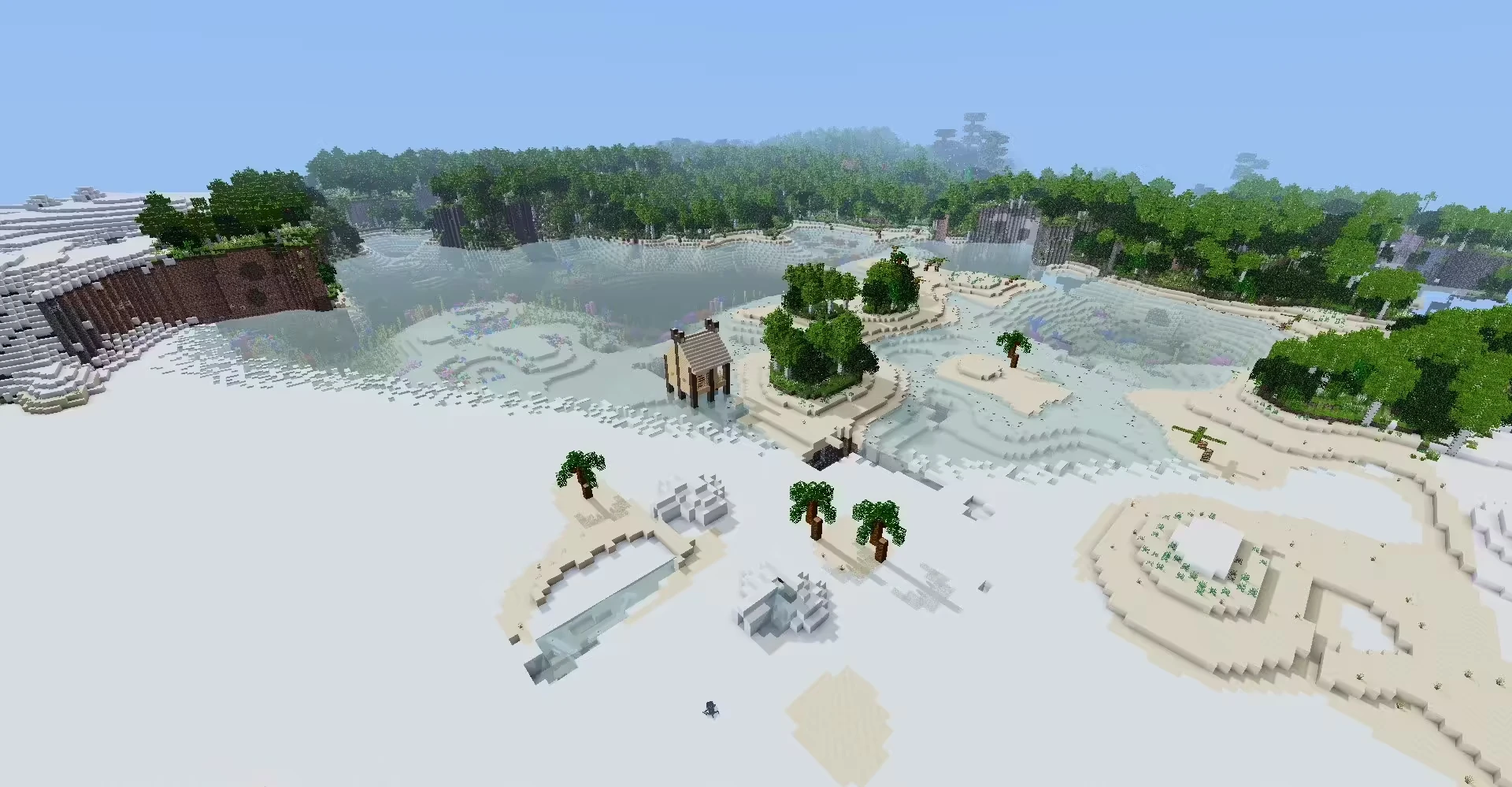
You could play PC games, such as Minecraft Java Edition and Undertale, in Termux. Though the performance is not that good.
Learn how to install virglrenderer in Termux.
3.4. Running Linux containers and Windows VM #
proot-distro allows you to install Linux containers in Termux, for example Debian and Arch Linux. The benefit is that you could find more packages than Termux in proot Linux distro.
You could use qemu to run Windows virtual machine in Termux. However, the performance is very bad, even on flagship phone it takes 5 minutes to boot a Windows 7 VM.
It is possilbe to run docker in Termux with custom Android kernel (root required).
3.5. Remote access #
Install openssh to run SSH daemon on your PC, or login to your PC from phone using ssh commands.
3.6. Terminal for Android shell #
Termux can act as a terminal for the Android shell.
If your phone is rooted, you can use Termux with Busybox to run commands on Android, such as modifying Magisk module files, orinstalling chroot Linux distribution.
4. How do you learn Termux? #
Well, there are many things to learn in Termux, if you really want to master it.
For example, the default shell of Termux is Bash. Commands such as ls, cd, mv, cp, touch are available in Termux. You could learn all usages of Bash commands on The Bash Guide.
Apart from bash commands, you could also learn how to use Termux API, Termux X11, Termux Python bindings…
That’s too much, right? Gee! I don’t want to learn command lines on my tiny smartphone!
My suggestion: Start from the basics. You should learn how to use Linux first. Because Termux is different from “normal” GNU/Linux distributions on PC (see wiki), it’s a relatively limited environment in comparison with GNU/Linux distributions. There are many limitations. I would suggest you to install a real Linux distribution, such as Ubuntu, on your PC (through Virtualbox or WSL) to learn the basics of command lines. You could search “Ubuntu course for beginners” to learn how to use Linux.
After you know how command line works, you could apply your knowledge to Termux, so you would have a clear picture of how everything works behind the scenes.
5. How to access Termux files #
How to grant Termux access to Android’s internal storage?
“Internal storage” refers to the location of directories such as DCIM, Download, Document, and Android. You can view this using a file manager app.
- Enter the following command to grant Termux access to your phone’s internal storage:
termux-setup-storage-
After granting Termux access, it will be mounted to the
storage/shareddirectory in the Termux home directory. Confirm this by entering thelscommand: -
To switch to the
internal storage/Downloaddirectory, simply enter:
cd storage/shared/Download- Then use the
lscommand to view all files in that directory.
For detailed information on Termux file management, please refer to: A Brief Introduction to Termux File Management
Where to ask for help #
Please read Termux Wiki before asking questions.
r/Termux on Reddit is a good place for discussing Termux topics. DO NOT ASK HACKING QUESTIONS OR YOU WILL GET BANNED.
Report bugs on Termux Github.