It is possibe to run docker containers on Android phone with a custom kernel which enable cgroups and other missing features.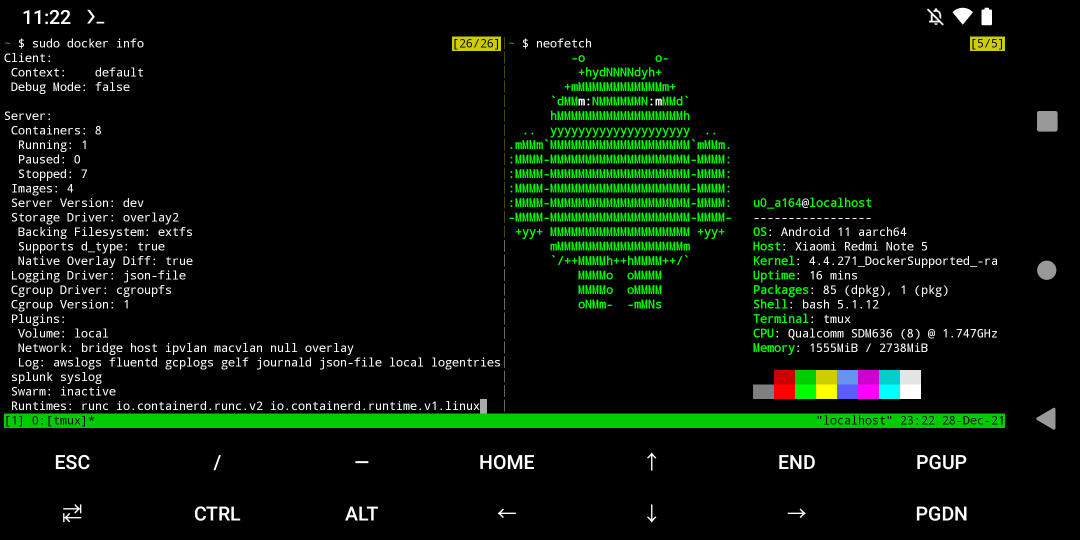
Video
- My deivce: Xiaomi Redmi Note 5 (whyred)
- Phone OS: Lineage OS 18 (Android 11). Rooted.
You can download my pre-compiled kernel here if you own the device: https://github.com/ivon852/android_kernel_xiaomi_whyred_docker
1. Check if the device supports docker features#
- The device must be rooted. Install Termux and check if your device supports docker:
pkg install wget
wget https://raw.githubusercontent.com/moby/moby/master/contrib/check-config.sh
chmod +x check-config.sh
sed -i '1s_.*_#!/data/data/com.termux/files/usr/bin/bash_' check-config.sh
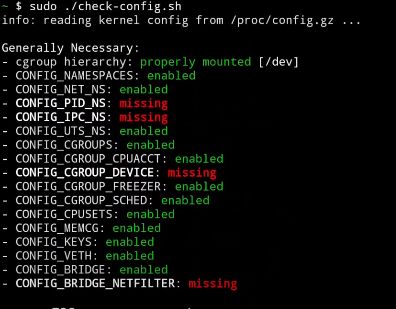
sudo ./check-config.sh- You will see many red “missing”" under “Generally Necessary”. So we must enable them in the following steps.
2. Download and modify the kernel#
Xiaomi phone is easy for flashing custom roms. Also there are many third-party kernel for them. Sometimes the code is more reliable than the official ones.
So I choose RAD kernel to begin with.
My computer operating system is Lubuntu 20.04. You may need a Linux VM for compiling the kernel on Windows.
Now, please wathc fossfrog’s guide to learn how to compile a custom kernel:
3. Enable missing features in kernel#
Use
make menuconfigto launch kconfig Enable all missing features in kernel.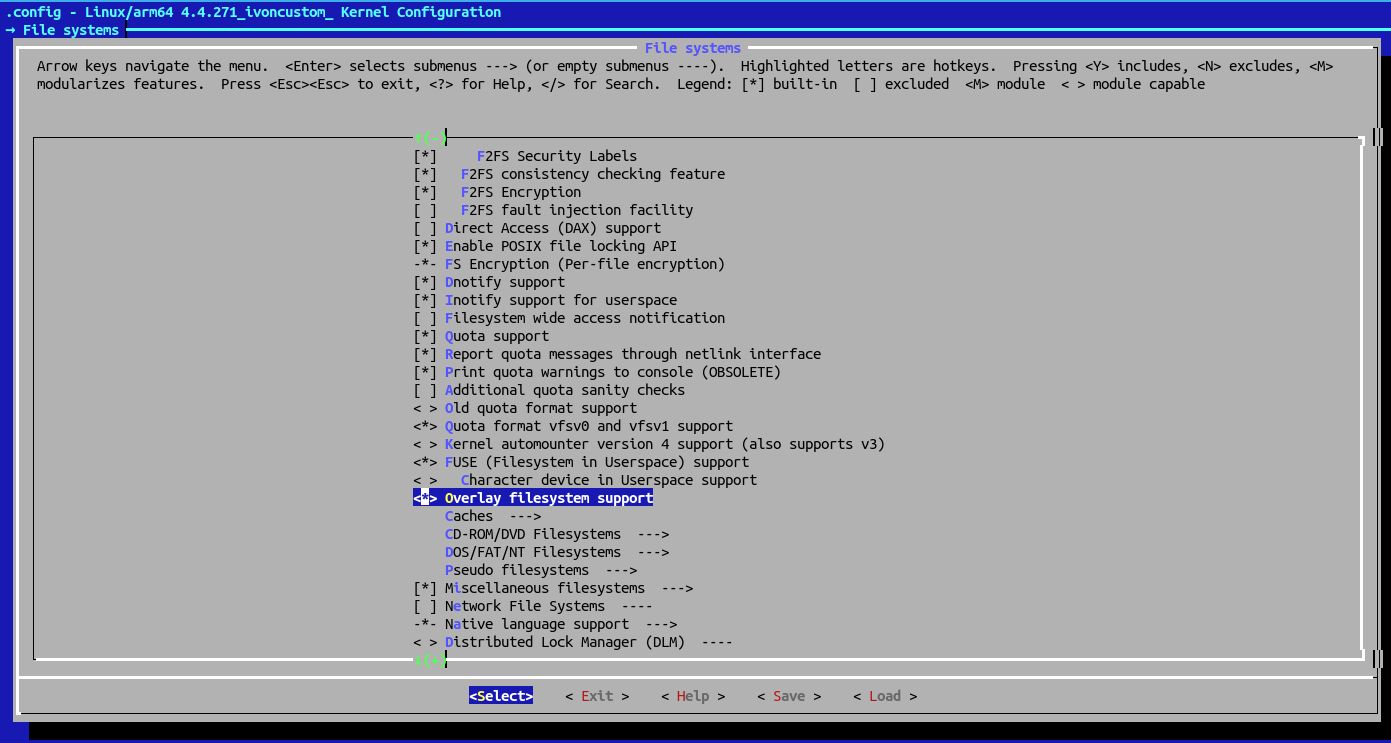
For exaple, to enable
CONFIG_OVERLAY_FS, press/in main menu.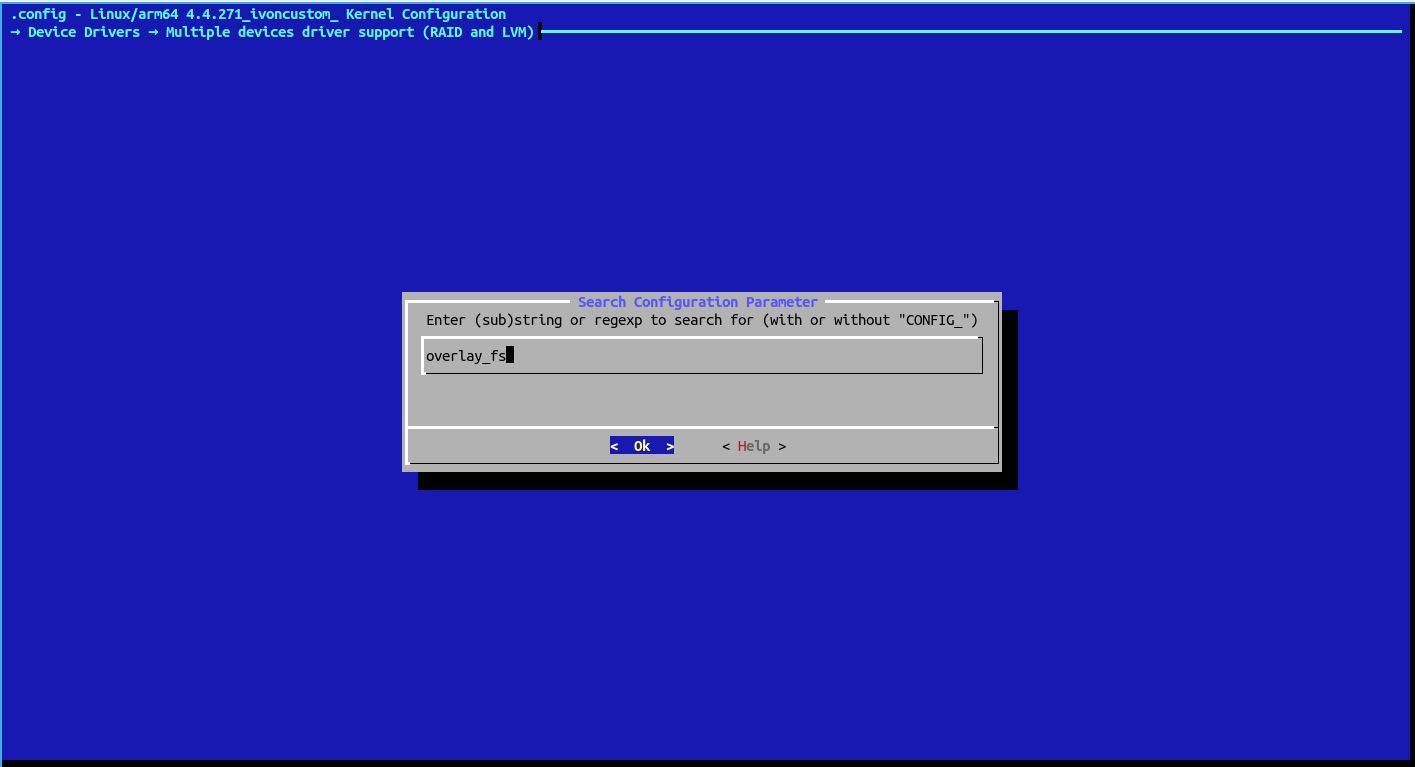
Inout the config name, it will tell your where it is.
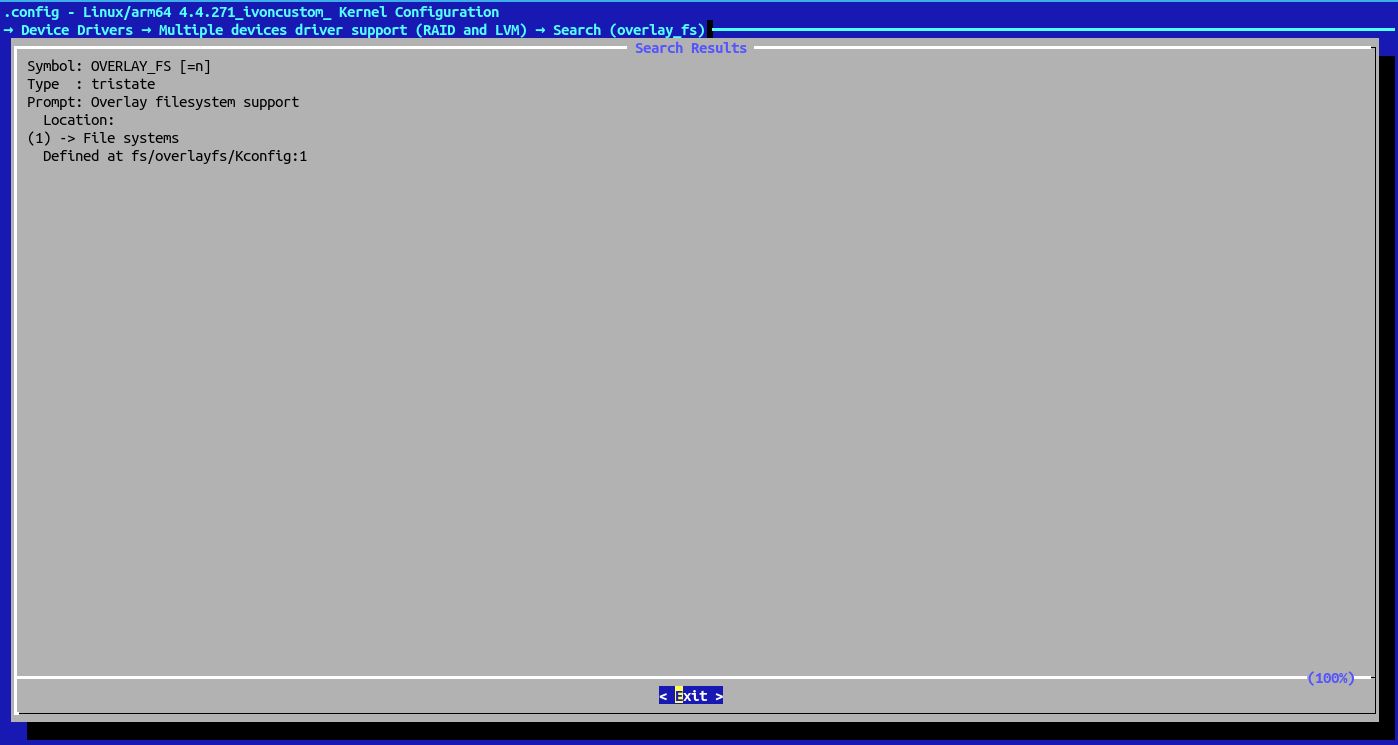
Use up and down arrow key to move. Press
yto enable it.Then, use right and left key to move to
Save. Then move toExit.According to FreddieOliveira’s instructions, you also need to modify
kernel/Makefile:
diff --git a/kernel/Makefile b/kernel/Makefile
index d5c1115..2dea801 100644
--- a/kernel/Makefile
+++ b/kernel/Makefile

 $(obj)/configs.o: $(obj)/config_data.h
# config_data.h contains the same information as ikconfig.h but gzipped.
# Info from config_data can be extracted from /proc/config*
targets += config_data.gz
-$(obj)/config_data.gz: arch/arm64/configs/lavender_stock-defconfig FORCE
+$(obj)/config_data.gz: $(KCONFIG_CONFIG) FORCE
    $(call if_changed,gzip)

    filechk_ikconfiggz = (echo "static const char kernel_config_data[] __used = MAGIC_START"; cat $< | scripts/basic/bin2c; echo "MAGIC_END;")
- And this
net/netfilter/xt_qtaguid.c:
--- orig/net/netfilter/xt_qtaguid.c     2020-05-12 12:13:14.000000000 +0300
+++ my/net/netfilter/xt_qtaguid.c       2019-09-15 23:56:45.000000000 +0300


{
        struct proc_iface_stat_fmt_info *p = m->private;
        struct iface_stat *iface_entry;
-       struct rtnl_link_stats64 dev_stats, *stats;
+       struct rtnl_link_stats64 *stats;
        struct rtnl_link_stats64 no_dev_stats = {0};


        current->pid, current->tgid, from_kuid(&init_user_ns, current_fsuid()));
        iface_entry = list_entry(v, struct iface_stat, list);
+       stats = &no_dev_stats;
-       if (iface_entry->active) {
-               stats = dev_get_stats(iface_entry->net_dev,
-                                     &dev_stats);
-       } else {
-               stats = &no_dev_stats;
-       }
        /*
         * If the meaning of the data changes, then update the fmtX
         * string.
- Complile the kernel
make -j8Repackage the kerenel into boot.img with Android Image Kitchen. Flash boot.img to the phone.
For Redmi Note 5, run this command after boot:
sudo mount -t tmpfs -o uid=0,gid=0,mode=0755 cgroup /sys/fs/cgroup4. Install docker in Termux#
- Run Moby’s script again to check if all “Generally Necessary” items are green. Then install docker packages:
pkg install root-repo && pkg install docker- Start second Termux session (swipe from left). Start docker daemon。
sudo dockerd --iptables=false- Open a new sesson. Pull image
hello-world. You shall see a welcome message by docker.
sudo docker run hello-world- Now try runngni a Apache container:
sudo docker run -d -p 80:80 --name myapache --net=host --dns=8.8.8.8 httpd- Now docker is running on your Android phone.
References#
This tutorial shows how to run docker natively on Android, without VMs and chroot.